
On this page
- What SNAP can help you qualify for
- What your proof needs to show
- Why a plastic EBT card may not be enough
- Finding the right letter in your state account
- Make the file readable without changing its meaning
- SNAP eligibility is not a device order
- Compare a SNAP free tablet claim with other routes
- One address can contain different households
- When the benefits letter belongs to your child
- If your SNAP status recently changed
- Protect your EBT account while comparing offers
- Keep the cost conversation specific
- What to do after a document request
- How the 2018-2026 program history affects EBT searches
- Common questions
- Official sources
What SNAP can help you qualify for
SNAP participation can be a qualifying route for Lifeline service, but it does not add an electronics allowance to your food benefits. A carrier or nonprofit may offer a device under separate terms. Our free tablet from government explains the main routes, and the online tablet application walkthrough walks through the steps after you've identified a suitable program.
A free tablet with EBT offer needs two checks. First, confirm that the program accepts your current SNAP participation as an eligibility basis. Second, read the actual device agreement: model, condition, ownership, price, service requirements, and return rules. A benefits card does not guarantee that a particular tablet is in stock or that the provider will waive every charge.
Don't use SNAP food funds or share an EBT PIN to pursue a device. The eligibility question is whether your household participates in a recognized program, not whether you can make an electronics purchase with the card. This directory never asks for the card number, PIN, account password, or a copy of your benefit documents.
If you searched for a free government tablet with food stamps, the useful next step is to find your current verification letter and compare a legitimate service or nonprofit route. It is not to submit your card to every advertisement that mentions EBT.
What your proof needs to show
For a benefit-based Lifeline review, the official document guidance focuses on the information that establishes participation. The proof should identify the beneficiary, the qualifying program, and the issuing agency or organization. It should also establish that the benefit is current, generally through an issue date within the last 12 months or a future expiration date.
Read the USAC supporting-document instructions and the request attached to your application. Not everyone is asked to upload documents. Electronic checks may verify the benefit. When a manual review is needed, the request should tell you what information is missing and what evidence can address it.
A SNAP award letter, eligibility notice, or benefit verification statement often shows the required details together. The exact title varies by state. Look at what the document says rather than only its filename. A notice about a past application, a closed case, or a transaction history may not establish current participation in the way the reviewer needs.
The beneficiary can sometimes be a qualifying dependent rather than the person completing the application. Follow the application instructions for that situation instead of replacing the name on the document. If names differ because of a legal change, ask the official reviewer what supporting record is needed. Never edit a government notice to make it appear to belong to someone else.
Why a plastic EBT card may not be enough
An EBT card is designed to access benefits. It is not necessarily designed to summarize the eligibility facts another program needs. Some cards omit the beneficiary's name, the specific program, the issuing agency's full identification, or a current participation date. A clear photo of the card cannot supply information that is not printed on it.
That is why an award letter is often a better starting point. It can show both who receives the benefit and the time period covered. This does not mean every card image is automatically rejected, and it does not mean you should upload a letter when the official system has already verified your participation. Follow the specific request rather than a blanket rule from an advertisement.
Keep benefit proof separate from address proof. A letter may show an older mailing address even though your benefit remains active. The application may need a different accepted document to establish where you live. Trying to solve an address problem by repeatedly uploading the same SNAP notice can leave the real issue unresolved.
Our document checker below helps you review the information before you apply. It does not inspect a file, certify authenticity, or determine eligibility. You check the statements yourself, and the results stay in your browser.
60-second SNAP / Medicaid document checker
A plain plastic EBT card may leave out the program, issuer, or current benefit dates. Check a dated award letter first. Do not upload documents here.
Finding the right letter in your state account
Open your state benefits portal through an address you know is official. If you use a search engine, check the destination before signing in. Sponsored results and lookalike pages can appear near the real portal. A message about a device offer should not require you to disclose your benefits-account password to a third party.
Once signed in, look for a section labeled notices, correspondence, eligibility, benefit verification, or documents. The wording and location differ by state, so a promise that everyone can download the letter in exactly two minutes is not realistic. Some households can retrieve it immediately; others may need to contact the agency for a current copy.
Choose a notice that establishes current SNAP participation. Open the entire file and check the beneficiary name, program, issuer, and date. Don't assume the most recent item is the right one: it could be a reminder, an appointment notice, or a request for information rather than an award or verification letter.
Download the original PDF when the portal offers one. Give the saved file a neutral name you can recognize without putting a case number or other private identifier in the filename. If you're using a shared computer, avoid leaving the file in a public downloads folder and sign out of the benefits account when finished.
If you cannot access the portal, call the agency using a number from its official website or an existing notice. Ask for a current benefit verification letter. Do not pay an unrelated service to retrieve a document that the agency can explain how to obtain.
Make the file readable without changing its meaning
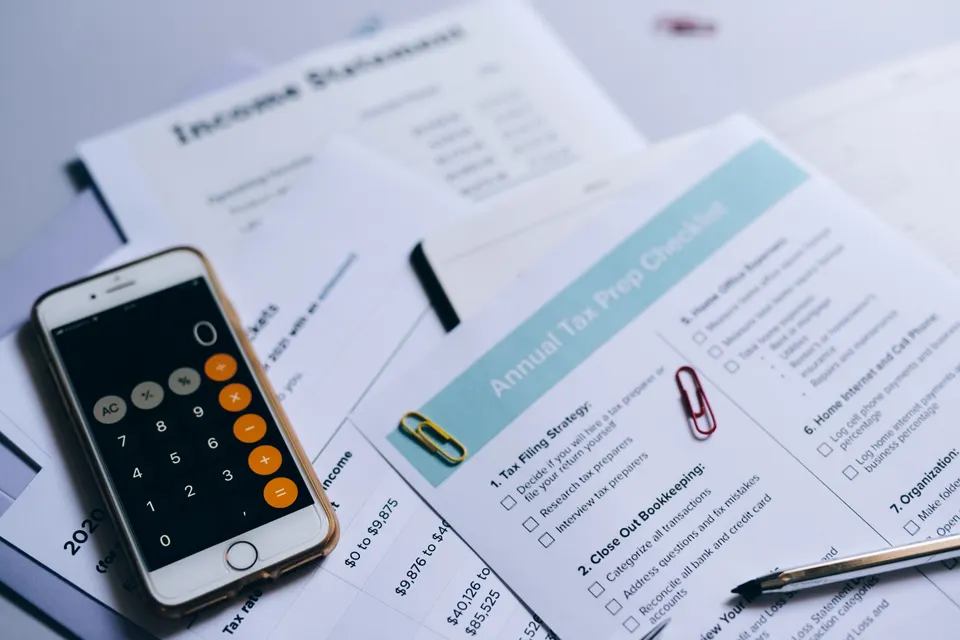
A reviewer needs to read the document, not guess what was outside the frame. If you must photograph a paper letter, place it flat in good light and include the complete page. Avoid glare, shadows, folded corners, and a background that makes the edges difficult to see. Check the image before uploading it.
Do not crop away the agency heading, date, beneficiary name, or other required information. If the notice spans several pages, read the upload instructions to see which pages are needed and whether they should be combined. A screenshot of only the benefit amount may leave out the facts that establish eligibility.
Use the file format and size requested by the official portal. If a file is too large, a standard compression or scan setting may help, but check that the text remains readable. Do not alter names, dates, program status, or award language. If the information is wrong, ask the agency how to correct the record or obtain an updated notice.
Be careful with online document converters. Uploading a benefits letter to an unrelated conversion website creates another place where sensitive information may be exposed. Prefer a trusted device's built-in scan or export feature when possible. Ask the official program for a supported alternative if you cannot produce the required file safely.
SNAP eligibility is not a device order
A successful benefits check is one step in a Lifeline application. It does not establish that a carrier has approved a particular device, received a payment, or shipped an order. Keep the eligibility confirmation and the device purchase record as separate documents so you can tell which organization needs to answer a question.
Before choosing a provider, ask about the exact hardware offer. Is the tablet included, discounted, sold separately, or available only with a particular enrollment? Is it new or refurbished? What happens if the advertised model is unavailable? A general statement that SNAP recipients qualify does not answer any of those questions.
A phone and tablet promotion can also involve separate terms for each device. The phone may be included while the tablet requires a payment, or a device may be offered only in selected locations. Read our free government iPhone and tablet bundle guide before moving an existing household benefit for a two-device headline.
When you receive a final order summary, save the model, price, tax, shipping, recurring charges, and return deadline. A screenshot of the original advertisement is useful context, but the final agreement is the record you need to understand before paying.
Compare a SNAP free tablet claim with other routes
| SNAP-based Lifeline | Service support; device promotion varies | Verified current SNAP participation | No automatic device award | Use an official dated benefit document Document instructions |
| AirTalk Wireless | Promotional phones; tablet or bundle offers vary | Lifeline qualification, household rules, location and offer terms | Confirm checkout total | Stock and fulfillment vary Official details |
| StandUp Wireless | Service and available phone offers; verify any tablet listing | Benefit or income eligibility; local service availability | No universal tablet price | Ask before enrolling Official details |
| PCs for PeopleNonprofit EIN 26-2066045 | Refurbished computers; tablets depend on stock | Qualifying assistance or its current income/AMI rules | Low-cost purchase; sponsored events can differ | Qualification and inventory review Official details |
| Human-I-TNonprofit EIN 46-0773284 | Low-cost devices and some sponsored programs | Program-specific eligibility; verify the current offer | Published store price or grant terms | Availability varies by program Official details |
A listing is not an endorsement, an approval, or a real-time inventory feed. No processing time is guaranteed. Device offers, eligibility details, coverage, and fees can change.
The best option is not always the one that uses SNAP in the largest letters. A nonprofit may accept a qualifying benefits letter for a discounted computer. A school may have a loaner that meets a child's immediate needs. A local distribution may provide a desktop rather than a tablet. Compare what the program actually supplies with the task you need to complete.
PCs for People, Human-I-T, and Compudopt have different eligibility policies and program models. Do not assume that acceptance of one document at one organization makes it valid everywhere. Some opportunities depend on location or sponsored inventory; others are low-cost purchases. Our student and nonprofit guide helps separate those possibilities.
A standalone device route may be especially useful when your household already has reliable Lifeline service. You can explore hardware without automatically transferring the household benefit. Before switching carriers, compare coverage and service terms as carefully as the device price. A tablet is not a bargain if the change leaves the household's main phone unreliable.
One address can contain different households
The Lifeline household rule concerns people who live together and share income and expenses. It does not simply count the number of adults at a street address. Two unrelated roommates may have separate finances, while relatives who share living expenses may be one economic household. The official application questions determine which description fits.
Receiving separate benefits notices does not automatically establish separate Lifeline households. Likewise, two people receiving different qualifying benefits do not necessarily qualify for two Lifeline subscriptions. Ask whether anyone in the economic household already receives the benefit and resolve that question before enrolling with another company.
If the application flags a duplicate address, use the official Household Worksheet when requested. Answer truthfully about how income and expenses are shared. Do not invent a separate apartment number, use a friend's address, or change the spelling of the street to avoid a matching check. Those changes do not explain the actual household arrangement.
The USAC household explanation is the right place to start. Our application troubleshooting guide explains how to organize a response when a duplicate-address or existing-benefit issue holds up the application.
When the benefits letter belongs to your child
Some applications allow eligibility through a qualifying dependent's participation in an eligible program. Follow the official instructions for identifying that person and the relationship. The adult applying for service and the person named on the benefit proof may not be the same, but the application needs to account for that difference accurately.
Do not change a child's name on a letter to match an adult's application. Do not submit a relative's benefit notice merely because it is easier to find. The relationship, household, and qualifying-program rules still apply. Ask the official reviewer what information is needed when the application uses a dependent's eligibility.
Think carefully about how much information you share outside the official process. A general directory or community inquiry does not need a child's benefit number, birth certificate, school record, or identity document. A broad statement such as "our household receives SNAP and needs a device for schoolwork" is enough to begin asking which program to contact.
If a school is helping with the application, ask which organization will receive the records and whether the school is acting as an authorized partner. A helpful referral does not mean every document should be sent through ordinary email. Use the secure channel the actual program provides.
If your SNAP status recently changed
Use information that reflects the household's current situation. An old award letter may no longer establish participation if the case has closed or the benefit has ended. Conversely, a newly approved household may need to wait for or request a current verification document before a manual review can be completed.
Don't assume that a change in one benefit leaves you with no options. Lifeline has other recognized benefit routes and an income-based route. Medicaid, SSI, Federal Public Housing Assistance, Veterans and Survivors Pension, and certain Tribal programs have their own rules. The Medicaid and income guide explains those distinctions.
A nonprofit may use different criteria from Lifeline. It might accept certain benefits, use an income threshold, or operate a local sponsored distribution. Read the current policy rather than recycling a document simply because a previous application accepted it. If you are unsure whether a notice is current enough, ask before uploading it.
Once enrolled in a program, follow its instructions for reporting relevant changes and responding to recertification requests. A device promotion does not remove those responsibilities. Keep the official notices and support contacts together so you can distinguish a real program message from a marketing text.

Protect your EBT account while comparing offers
No device directory needs your EBT PIN. A PIN authorizes access to the card account; it is not proof that a charity or carrier can use to verify a tablet application. Treat any request to send it by text, email, chat, or a web form as a serious warning sign.
An EBT card number is also sensitive. Do not post a card photo in a public comment thread to demonstrate eligibility. A stranger offering to "finish the application" may ask for more information than a legitimate program needs. Verify the official channel independently rather than following the link in an unsolicited message.
Read consent language before submitting a lead form. Some sites collect contact information for marketing partners rather than processing an actual benefits application. Look for language about calls, texts, data sharing, and the companies involved. A promise of a free device does not make broad marketing consent harmless or necessary.
If you think you exposed account credentials or a PIN, contact the relevant benefits agency through its official instructions. For a carrier order problem, contact the carrier. For a misleading advertisement on this directory, use our contact page with the URL and a description, not a copy of your benefits documents.
Keep the cost conversation specific
Ask, "What is the total due today, and what will I pay each month?" That is more useful than asking only whether the tablet is free. Have the provider identify the device charge, tax, shipping, setup, optional accessories, and any required service payment. Decline add-ons you don't need and review whether they are selected by default.
The former ACP device contribution range is often repeated as though it were a current Lifeline rule. It isn't. ACP ended in June 2024. A provider may have its own promotion, but the current quote must stand on its own terms. Don't pay a purported government processing fee simply because the amount resembles an old co-pay.
A no-cost school or nonprofit device may still have conditions. It could be a loan, require pickup, have limited technical support, or need a separate internet connection. Those conditions do not automatically make it a bad option. They need to be clear before you rely on the device for school, work, or appointments.
Use the income and cost tool linked from the home page to compare actual figures. Do not enter an estimated discount as though it were approved. The most reliable budget starts with the current written offer and includes only benefits or reductions the organization has confirmed.
What to do after a document request
Read the notice once for the reason and a second time for the requested action. Note the deadline, accepted document types, and upload channel. If the portal says the image is unreadable, a better scan may solve the problem. If it says the program or date is missing, you need a document that contains those facts.
Save confirmation that the file was submitted, but don't interpret an upload receipt as an approval. Keep checking the official application channel for the next result. If the request is unclear, contact the program with the application reference number and ask which requirement remains unresolved.
A concise support message might say, "My application requests current SNAP proof. My notice shows my name, SNAP, the issuing agency, and the current award period. Which required item is still missing?" That question is easier to answer than a long account of every advertisement you saw before applying.
Do not send the same record to this directory for review. We can explain the information a document generally needs, but we are not the verifier and do not accept benefit files. Keeping those boundaries clear protects your privacy and directs the application to the organization that can actually decide it.
How the 2018-2026 program history affects EBT searches
| Period | What changed | What it means now |
|---|---|---|
| 2018 | The National Verifier rollout introduced a more centralized Lifeline eligibility process. | A record of program history does not establish that a particular device offer is still available. |
| 2020-2021 | Remote learning increased device needs. The temporary Emergency Broadband Benefit began in 2021. | Emergency-era school and connectivity assistance had its own time limits and rules. |
| 2022-2024 | ACP succeeded EBB and included a connected-device discount. ACP ended June 1, 2024. | The former device contribution range is not a current, general Lifeline price rule. |
| 2025-2026 | Families compare Lifeline service, school lending, nonprofit refurbishers, community distributions, and VA telehealth loans. | Confirm each active route with its operator instead of relying on a saved advertisement. |
Older articles may combine SNAP eligibility with a device benefit that belonged to EBB or ACP. That history can explain an old offer, but it does not establish a current application route. Check the active program, today's device terms, and the current document instructions before acting on a saved page.
The practical takeaway is simple: use SNAP as a documented eligibility route where the program recognizes it, not as a promise of a particular tablet. Keep your account private, compare the full offer, and use the official reviewer for any question about your application record.
Questions people ask before they apply
Does SNAP automatically include a tablet benefit?
No. SNAP participation can establish a qualifying route for Lifeline service, but a device remains a separate carrier, nonprofit, school, or community offer. Check the model, cost, ownership, and availability rather than treating the benefits card as a hardware entitlement.
Why might my plastic EBT card photo be insufficient?
The card may not show the qualifying program, issuer, beneficiary, or a current participation date. A dated award or verification letter often supplies those facts more clearly. Follow the official request, because electronic verification may mean no document upload is needed at all.
Can I use a SNAP notice downloaded from my state portal?
A current notice may be useful when it shows the required beneficiary, program, issuer, and date information. Read the official reviewer's accepted-document instructions and submit the complete, readable file through that channel. A download or upload confirmation alone is not an eligibility approval.
Does a free government tablet with food stamps require my EBT PIN?
This directory never needs an EBT PIN, and a PIN is not a document proving program participation. Do not give it to someone offering a device or faster approval. Verify the official application destination and provide only the evidence that program actually requests.
Can my child's SNAP participation help the application?
A qualifying dependent's participation may be relevant when the official application rules permit it. Follow the instructions for identifying the beneficiary and household relationship rather than changing the name on a document. One economic household is still limited to one Lifeline benefit.
What does a SNAP free tablet advertisement actually promise?
Only the current written offer can answer that. SNAP may support service eligibility, while the tablet could be discounted, separately purchased, loaned, or unavailable in your location. Ask who supplies the hardware, what it costs, and whether enrollment changes an existing household benefit.
What if my SNAP case recently ended?
Do not use an old award letter as though it proves current participation. Check whether another recognized benefit, the income route, or a separate nonprofit or school program applies. The official reviewer decides eligibility using the current information and accepted evidence.
Can I email my benefits letter to this website for review?
No. We do not collect benefits files or decide applications. Use the checklist to inspect the required information yourself, then send requested proof only through the official program's secure process; contact that reviewer when a specific document request is unclear.
Sources behind this guide
- USAC eligibility and 2026 income limits
- USAC supporting documents
- USAC application error guidance
- USAC household rules
- PCs for People eligibility
Policy and program details reviewed November 15, 2026. Always use the organization's current instructions for an application or purchase.